Artful Home

Artist Center

How might we reimagine our artist-facing extranet to manage inventory and communicate actions regarding artwork?
Role Graphic Designer
Channel Responsive Web
Timeframe 2 months
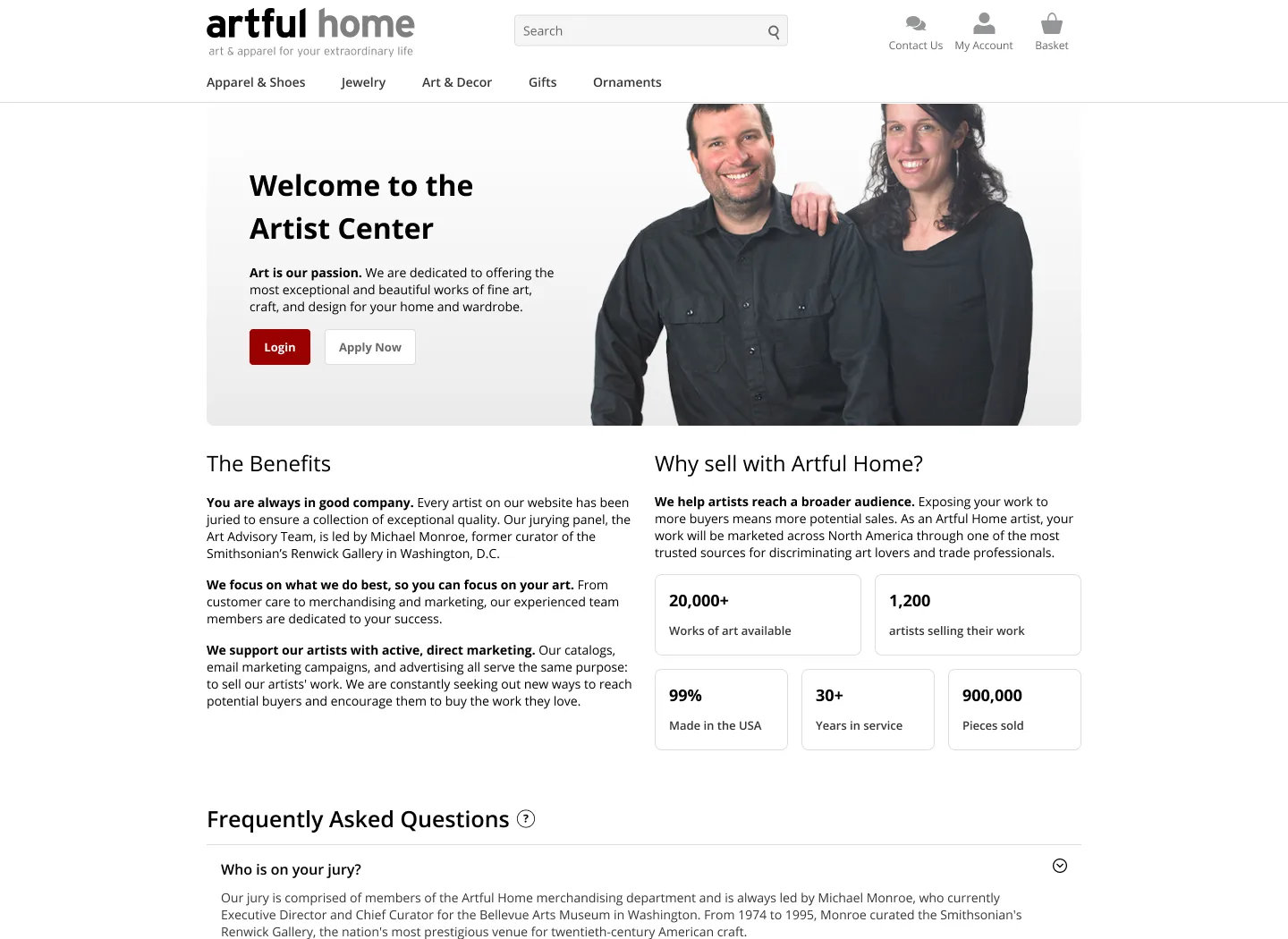
Overview The Artist Center is an extranet for Artful Home artists and admins to manage artwork submissions, inventory, payments, and customer-facing operations, ensuring streamlined workflows for curated collections.
Contribution Led a major redesign of an artist-facing intranet for 2,000 users, improving artwork submission, inventory management, and communication.
Problem Fragmented interfaces create navigation challenges, while manual artwork management and communication slow large order fulfillment, reducing efficiency and user confidence.
Hypothesis A unified visual language will create a a seamless experience and enhance artist guidance on artwork requirements, ensuring clearer product descriptions and better consistency across the platform.

Overview

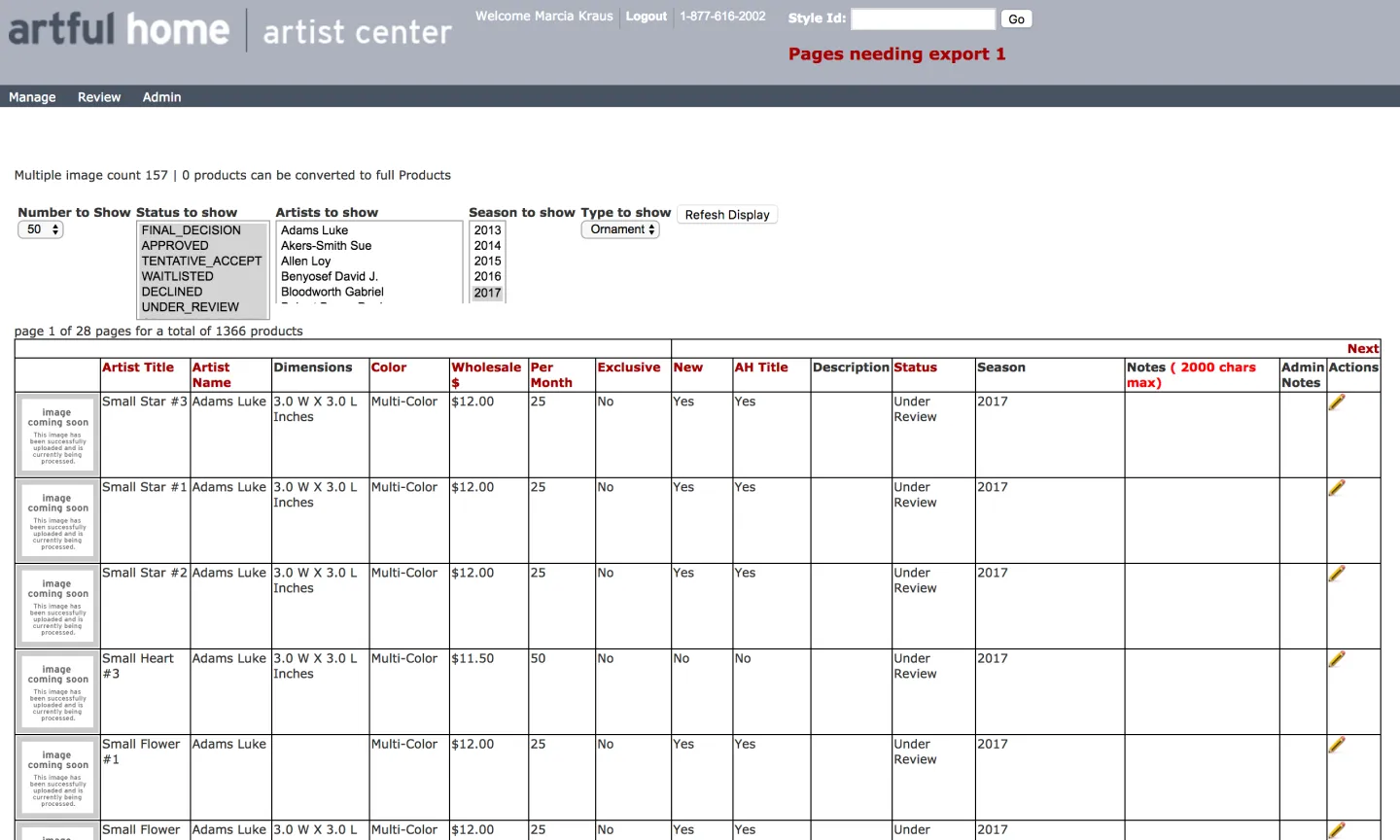
The Artist Center is an extranet for admins and artists at Artful Home to apply, manage, and review artwork for curated art collections.Critical capabilities include uploading photos of artwork, collecting product information, completing work orders, managing inventory, making payments, and communicating with merchandisers.

Problem

Our interface felt like multiple platforms, creating confusion for users and slowing key workflows.
  • 01
    Inconsistent user interfaces

    The interface feels like various platforms, which creates confusion for users navigating and taking action.

  • 02
    Limited automation

    Manual processes for artwork management and order communication reduce efficiency for large orders.
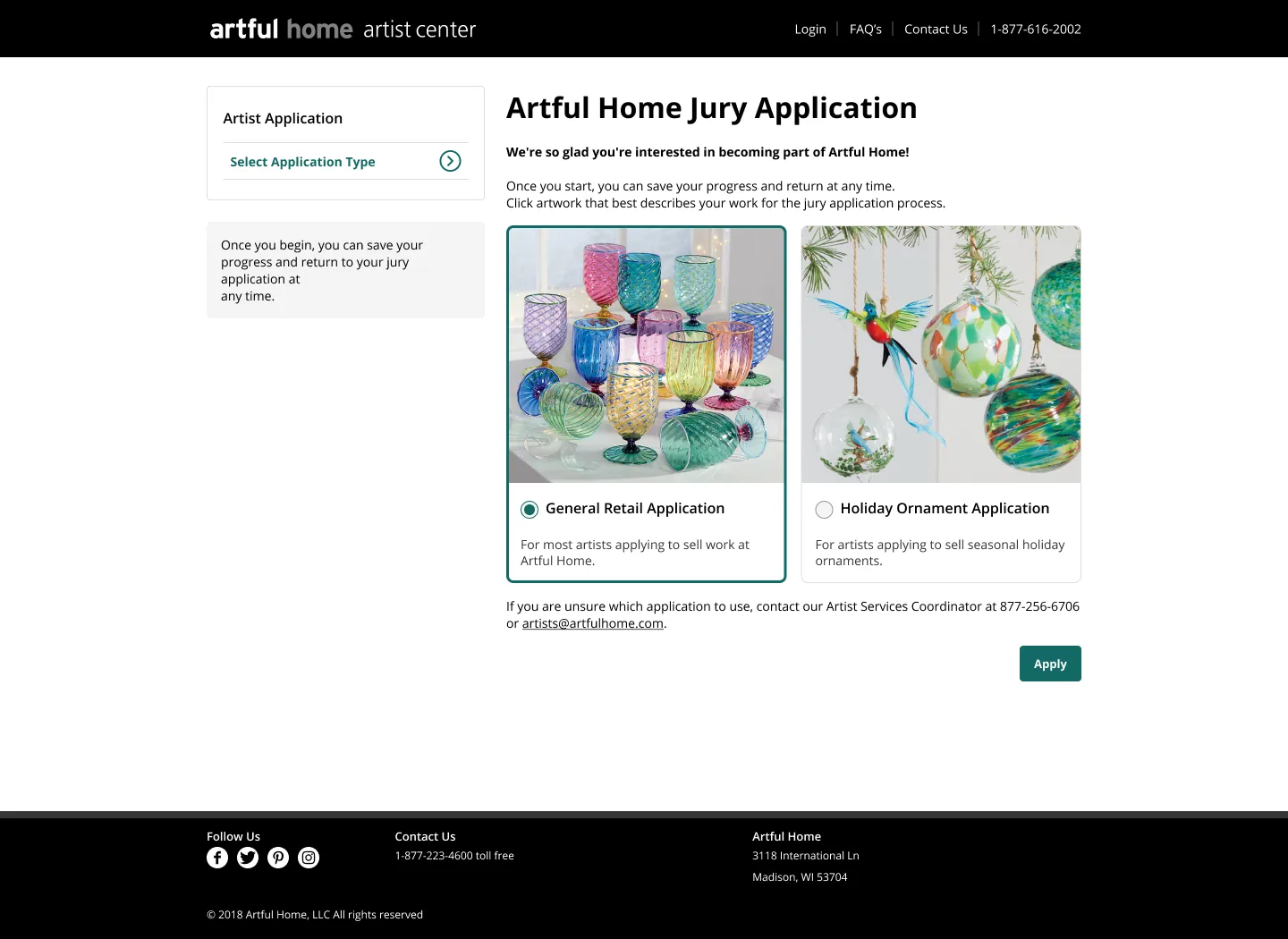
Artist sign up
Artist sign up
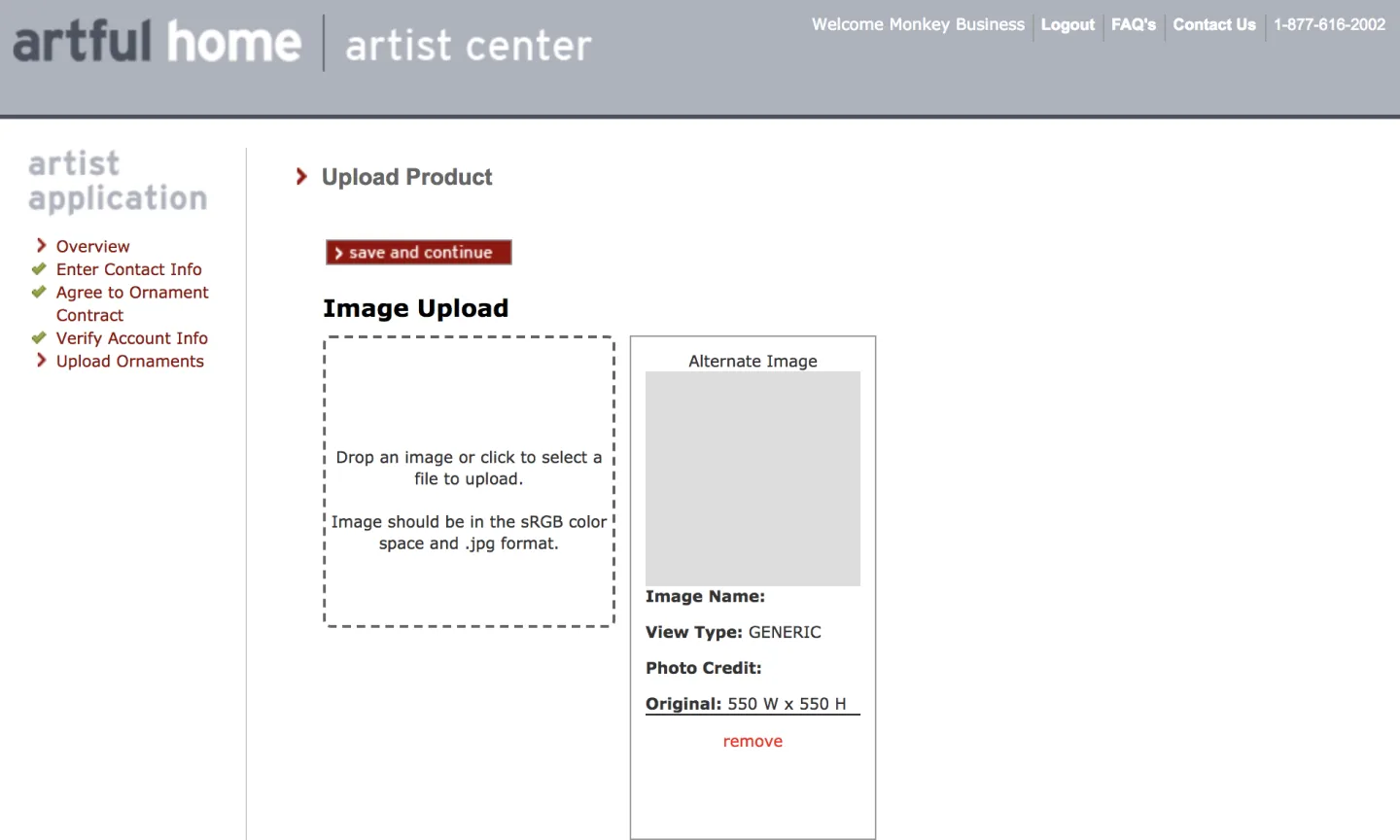
Artwork upload
Artwork upload
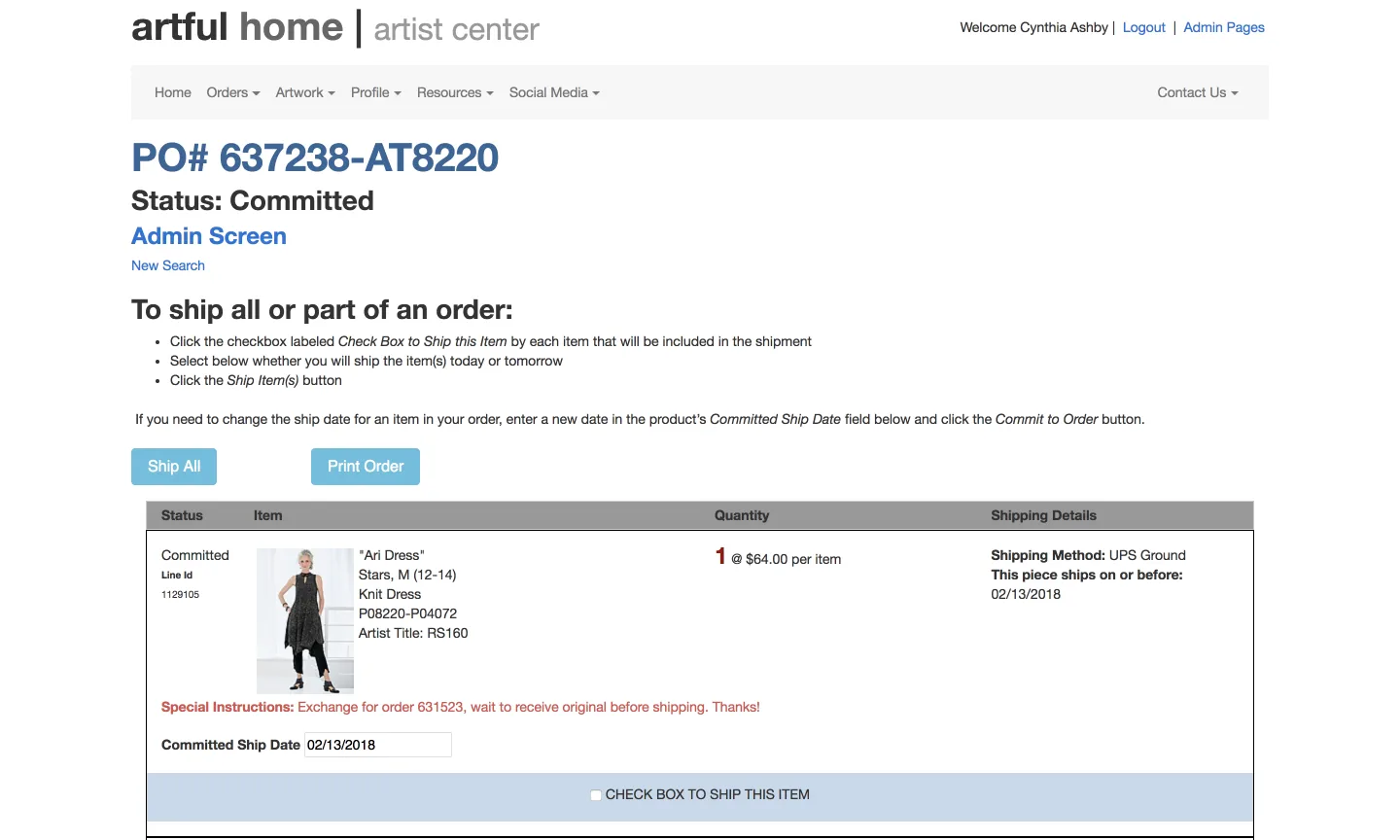
Artwork purchase orders
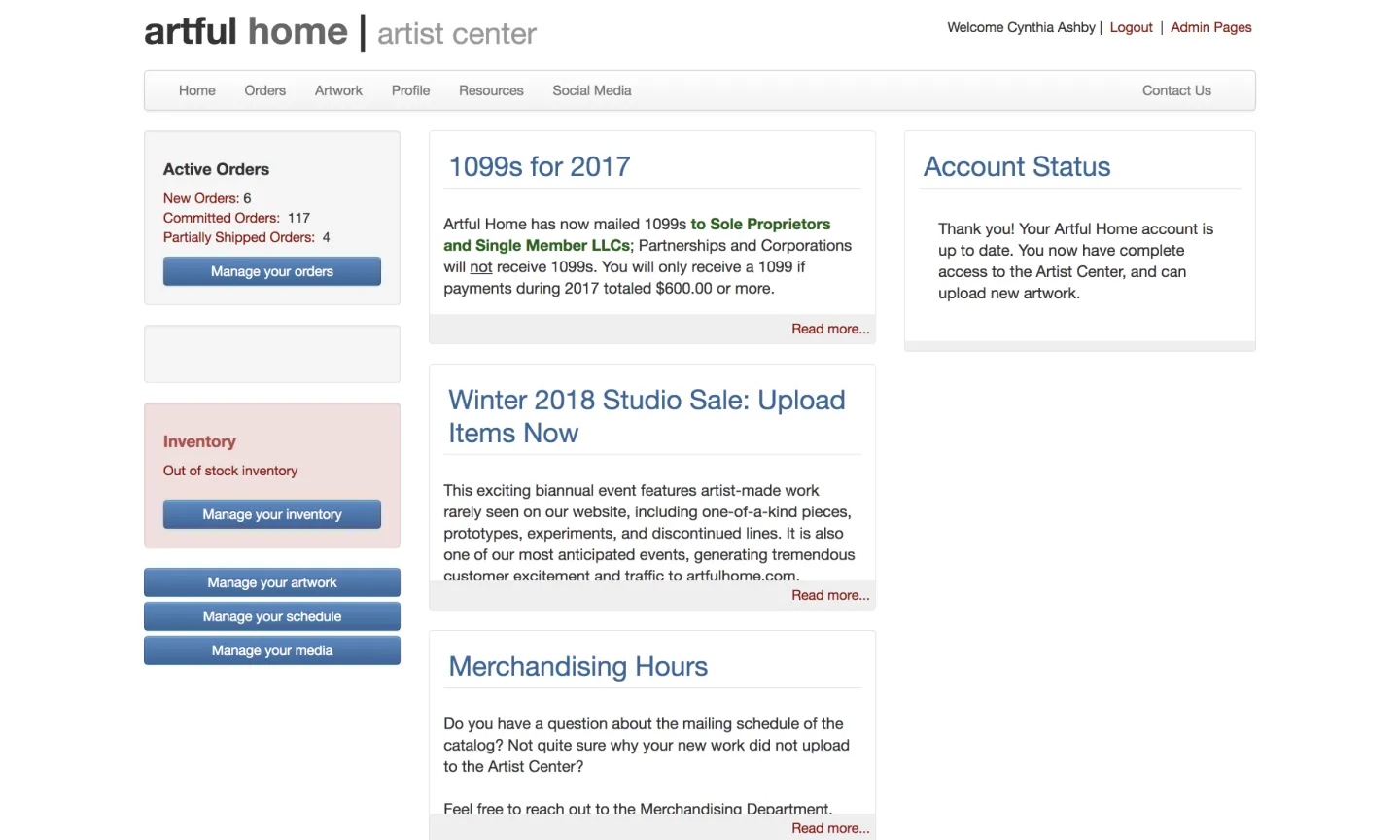
Artist dashboard
Artist dashboard
Image 5
Image 6

Solution

Establish a unified visual language, improve guidance for new products, and streamline bulk workflows to reduce manual effort.
  • 01
    Unified visual language

    Create a cohesive UI so the extranet no longer feels like multiple disparate systems.

  • 02
    Improved artist guidance

    Provide clearer instructions on artwork requirements and product details to improve product page consistency.

Approach

Partnered with customer service and merchandisers and conducted five studio visits across apparel, jewelry, glass, and furniture to observe artist workflows and inform a service blueprint.
Insights
  • Observed how artists upload images and manage inventory across devices
  • Found confusion caused by inconsistent UI patterns
  • Identified opportunities for bulk-edit workflows and clearer affordances
Recommendations
  • Unify visual language across screens
  • Add bulk edit actions for inventory and orders
  • Improve onboarding guidance for image and product metadata
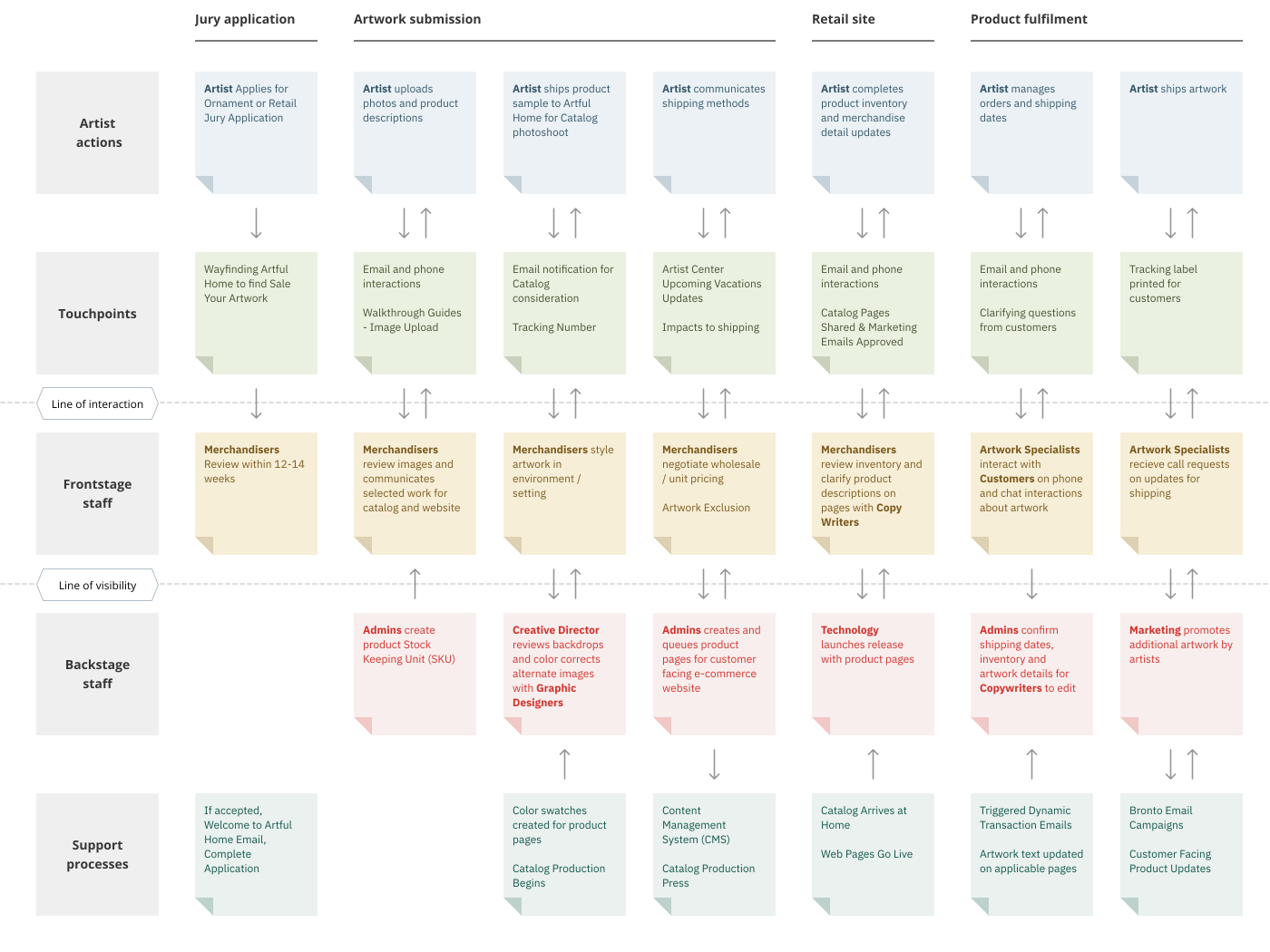
Service Blueprint
Service Blueprint
Christine Entrepreneur"I design for the woman who does not subscribe to fashion trends."
52 yearsIllinoisFashion Designer
Christine launched her clothing line after college and sells to boutiques; she values efficiency and clear product presentation.
  • Distribute account access to her team.
  • Grow her apparel brand and ensure quality.
  • Streamline product fulfillment with bulk edits.
  • Coordinates with merchandisers and ships product for photoshoots.
  • Uploads alternate product images.
  • Manual duplication for variations.
  • Multiple emails for new orders instead of consolidated reports.
  • Artist Center not optimized for iPad.

Ideation

Our visual language needed a cohesive look and feel by revisiting our styling for Bootstrap.
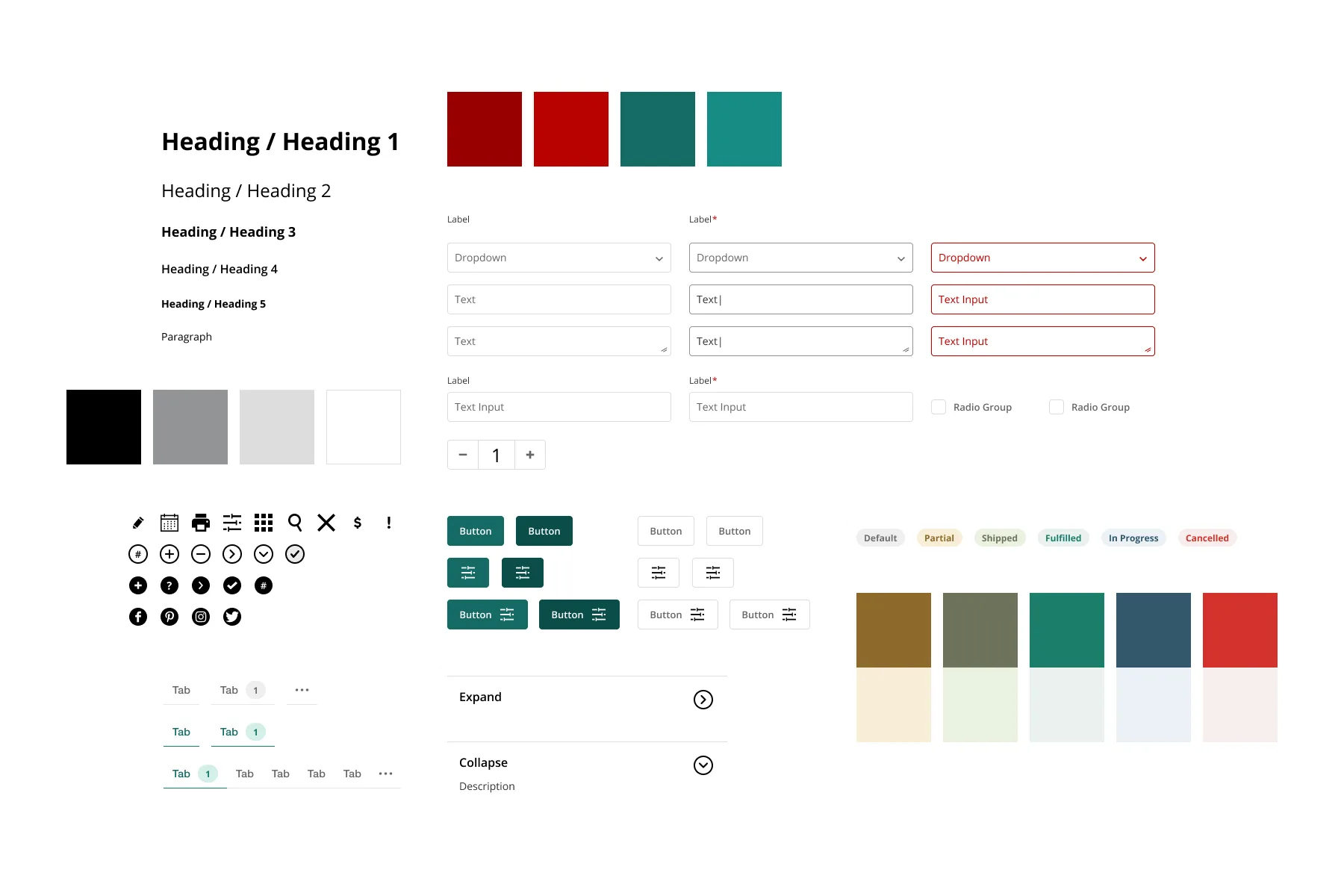
Color, inputs, buttons, typography, and other reusable components
Unified Visual Language Color, inputs, buttons, typography, and other reusable components
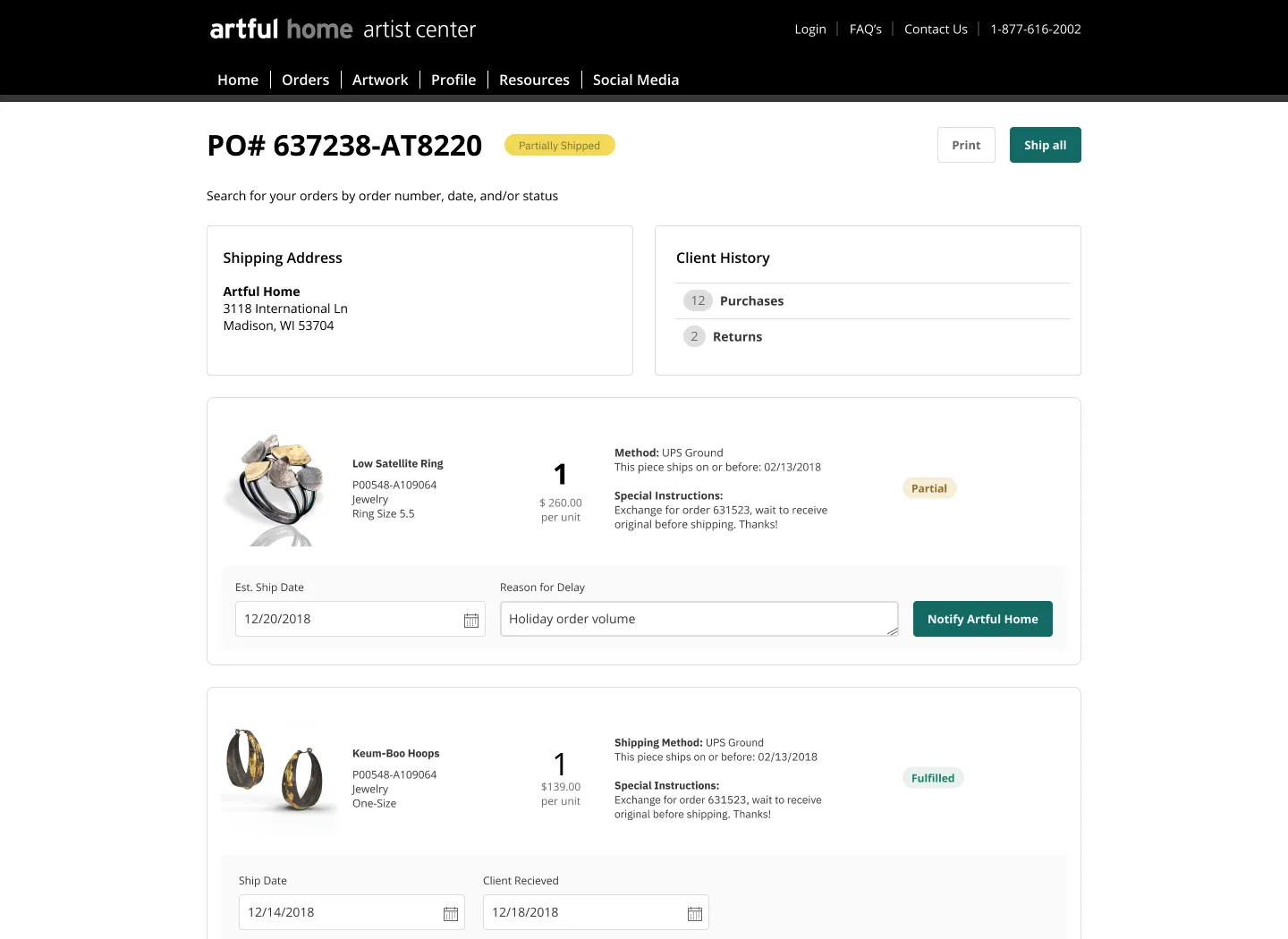
Review your orders Filter and process orders to determine shipment actions.
Filter and process orders to determine shipment actions.
Nested information View order details without leaving the list.
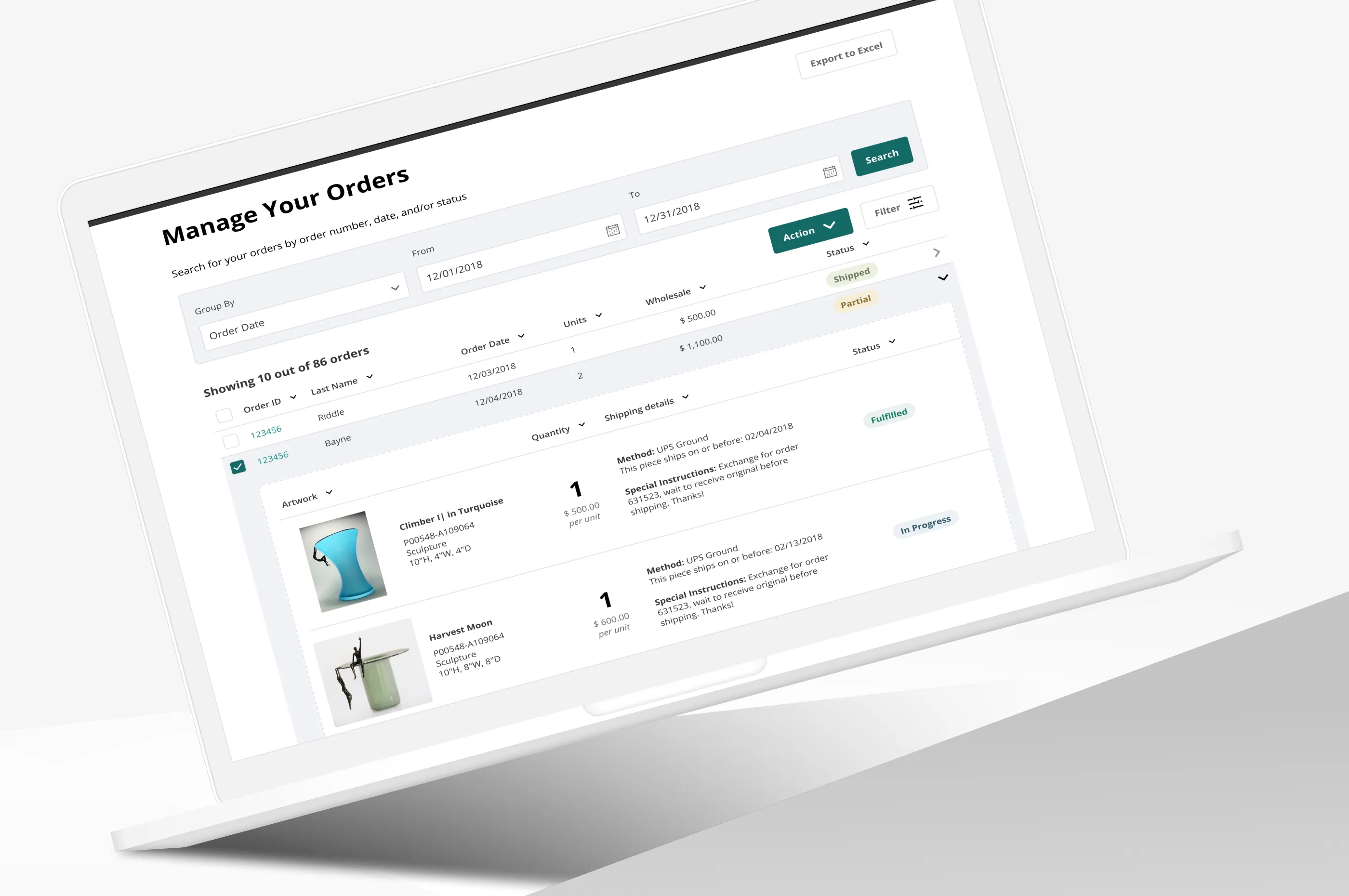
View order details without leaving the list.
Application trackers Apply for curated collections and track status.
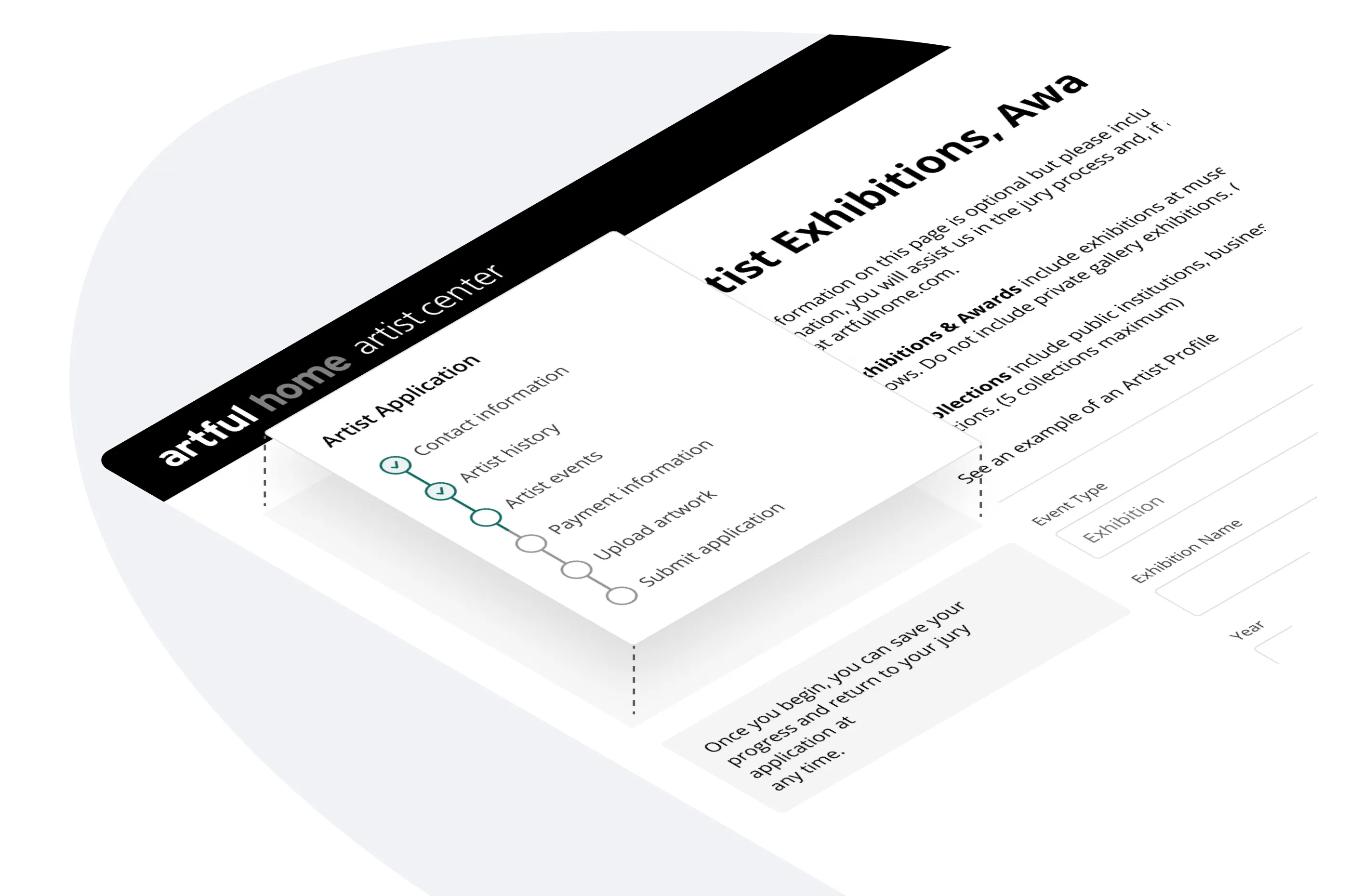
Apply for curated collections and track status.

Wireframes

Key screens
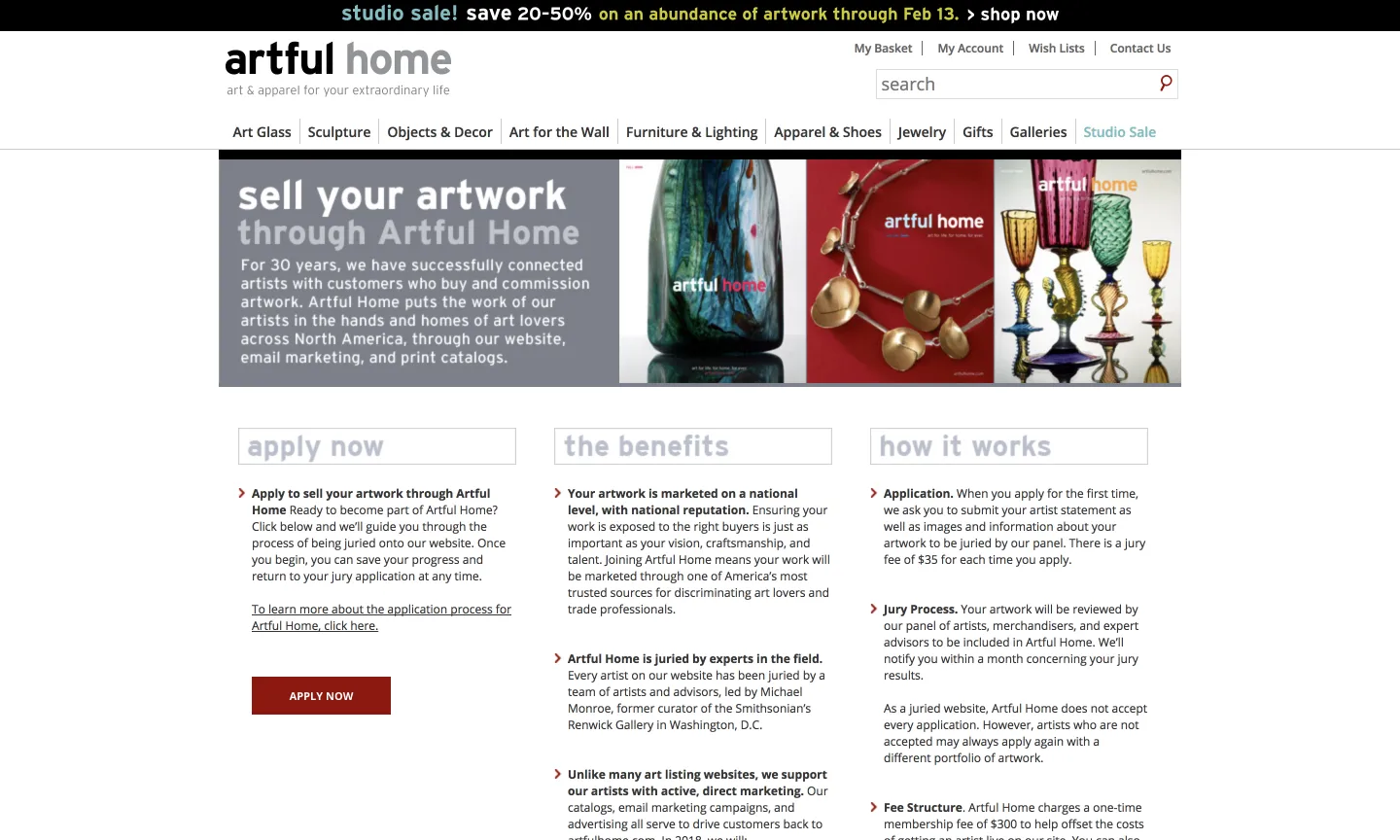
Sell your artworkStarting point for new and returning artists.
Starting point for new and returning artists.
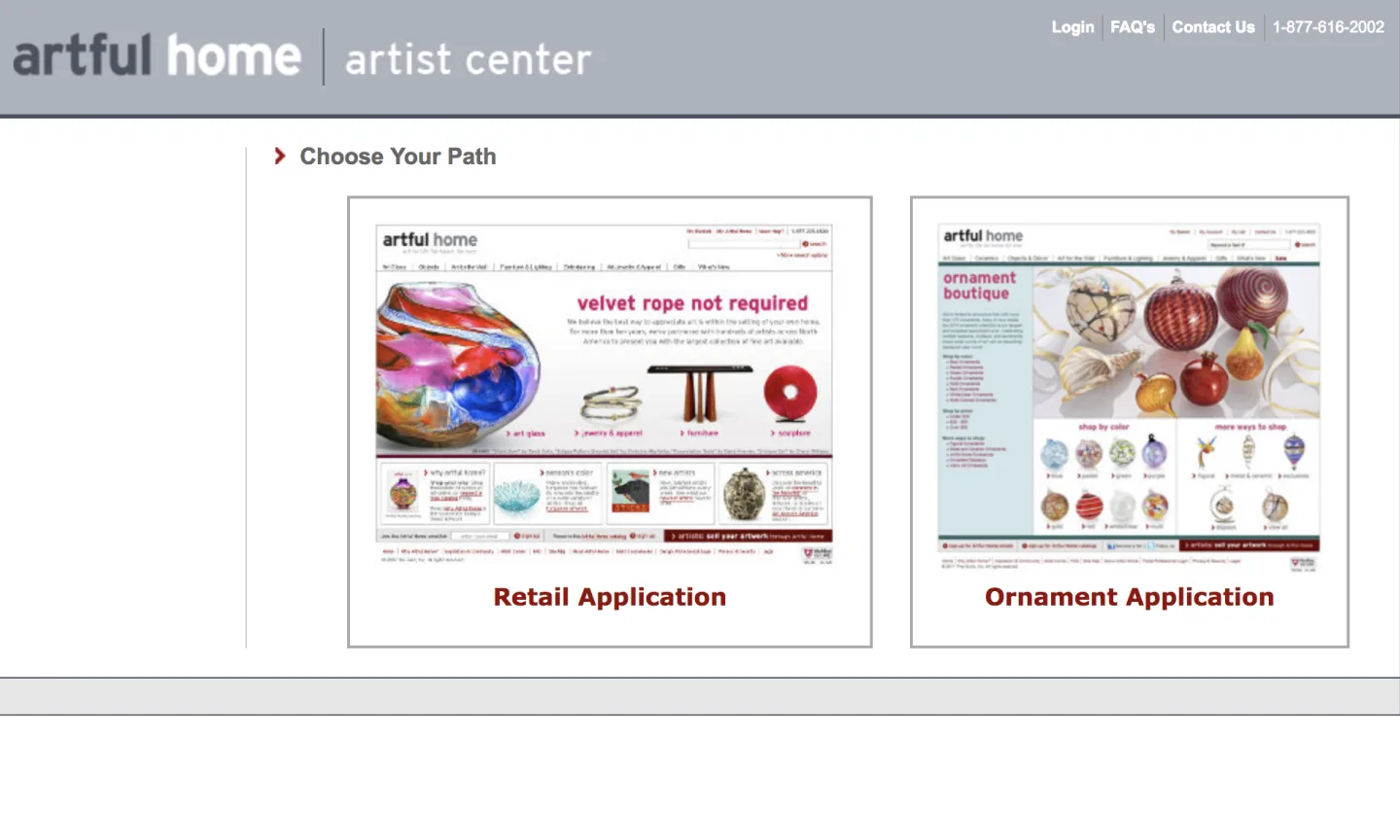
Jury applicationSelect application type for curated opportunities.
Select application type for curated opportunities.
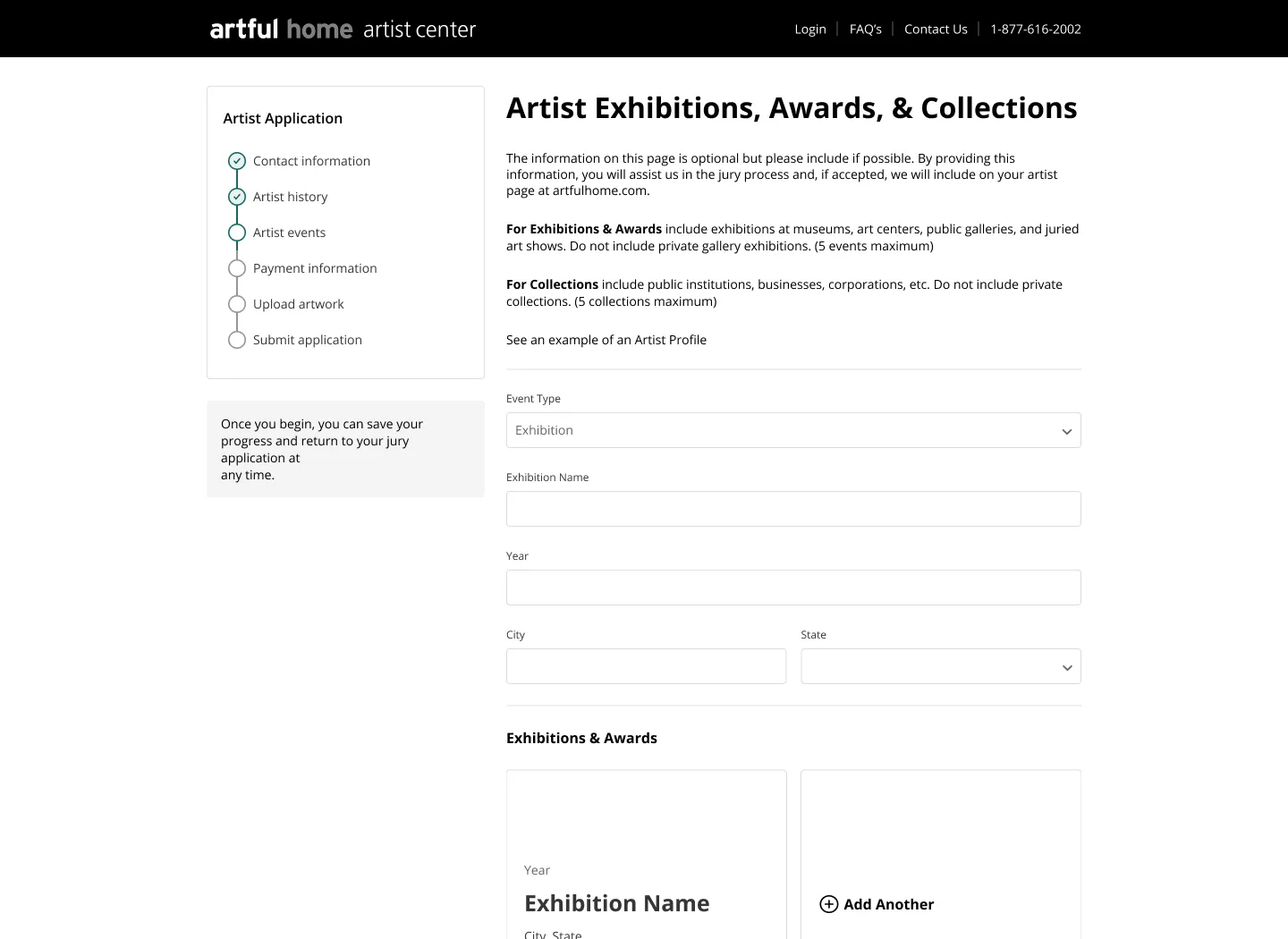
Artist HistoryRecord exhibitions, awards, and collections.
Record exhibitions, awards, and collections.
Upload ArtworkAdd alternate images and product metadata.
Add alternate images and product metadata.
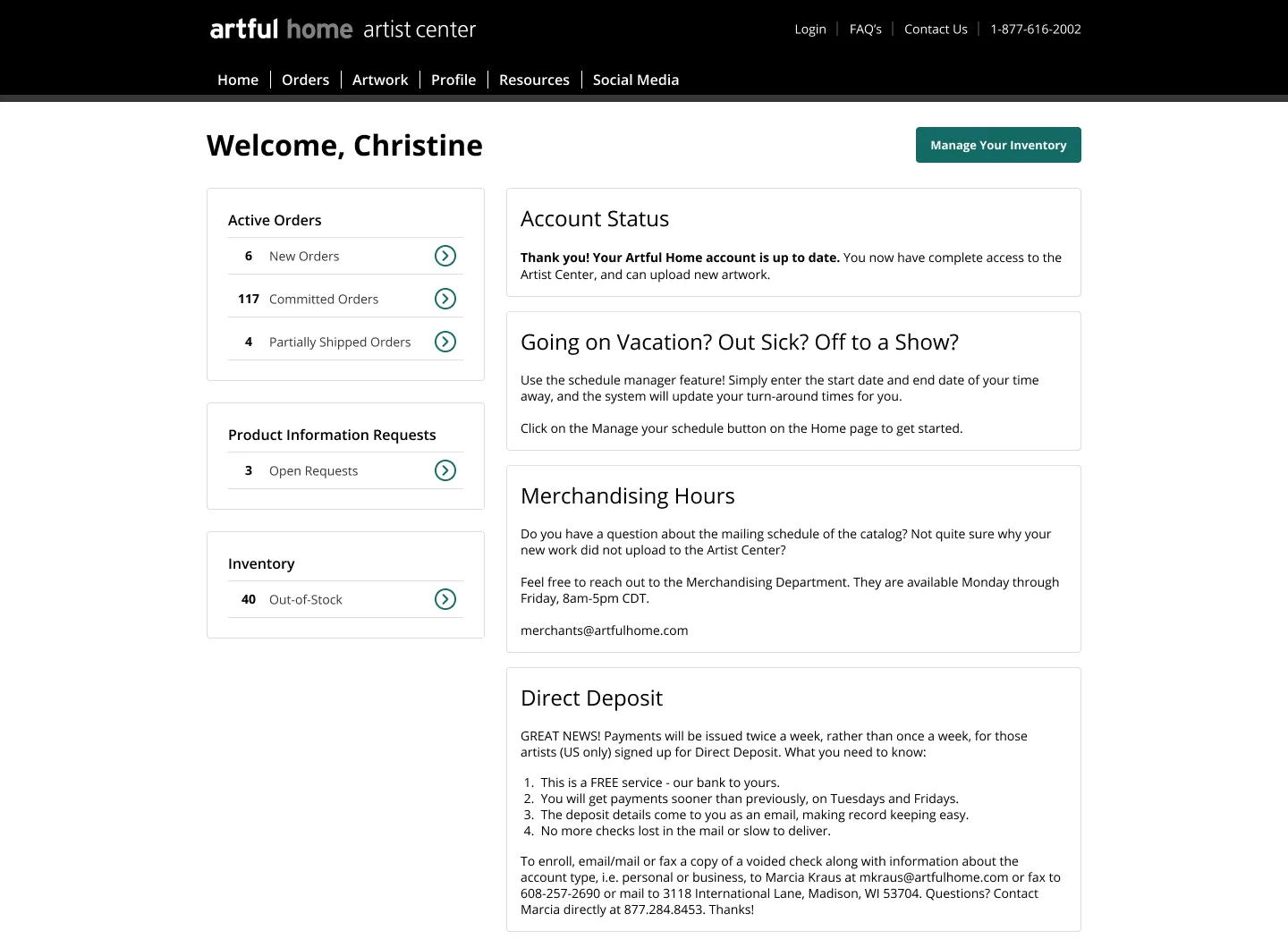
Artist DashboardCommunications, pending actions, and status.
Communications, pending actions, and status.
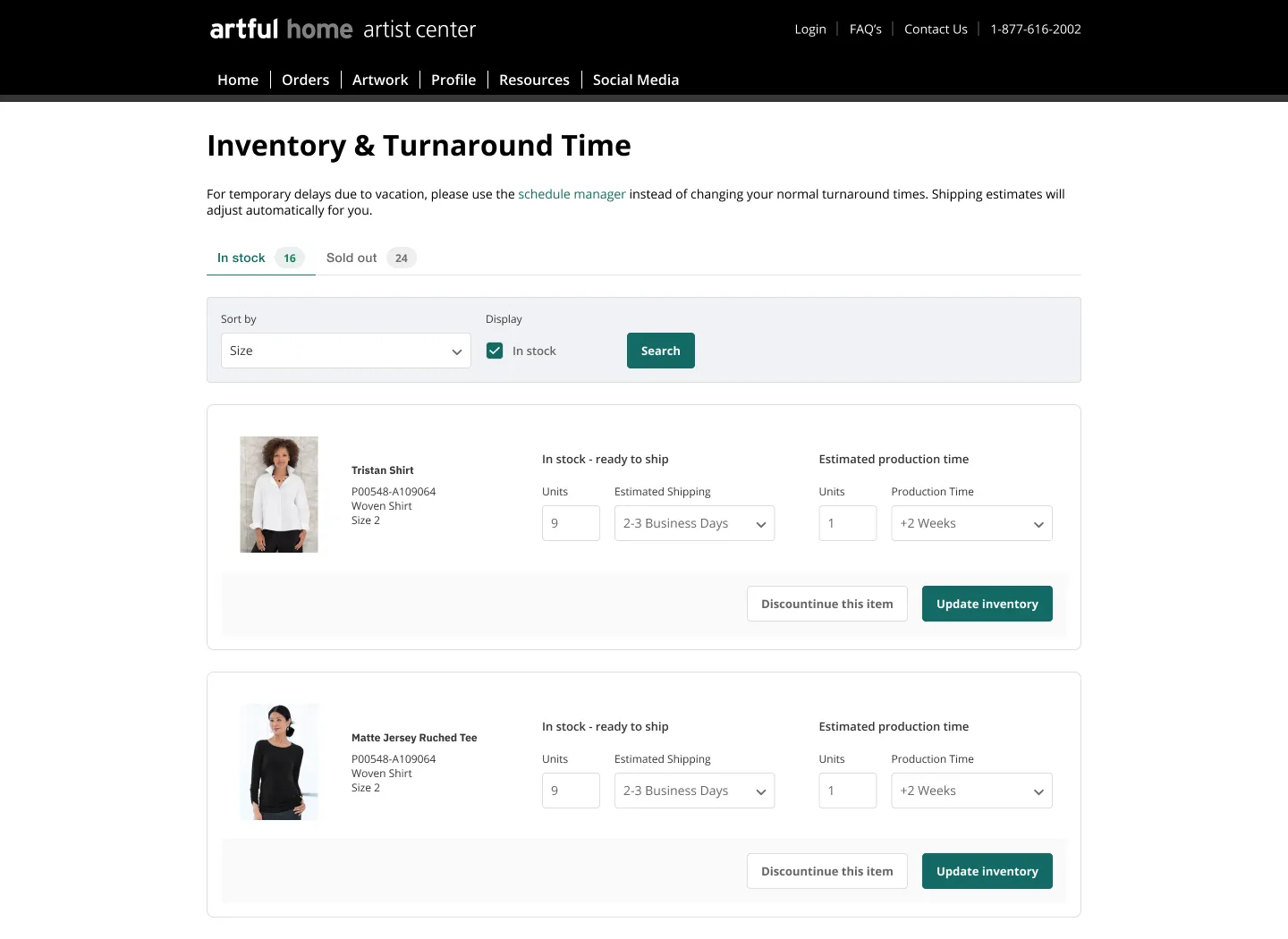
Artist InventoryUpdate shipping and production times for artwork.
Update shipping and production times for artwork.
Manage Your OrdersBulk actions for updating multiple orders.
Bulk actions for updating multiple orders.

Takeaway

This experience taught how to prioritize usability, work closely with front-end and engine developers, and the importance of accessibility and user research.
Lessons learned
  • Work closely with developers to communicate requirements via wireframes.
  • Understand and apply ADA/accessibility principles to digital experiences.
  • User interviews reveal how real users perceive and use the product.
Potential next steps
  • Request existing usage data to guide discovery and analysis.
  • Maintain competitor analysis and run A/B tests for ongoing improvements.
  • Document requirements to align customer needs with business goals.
Artist Center Redesign Redesigning artist-facing extranet for 2,000 users to streamline artwork submission and order management

CDO Priority Set expectations for brevity (15 min), establish credibility, preview your direct leadership impact. Say Your title, company context, the business problem scale. Emphasize "I led" statements, quantifiable scope (users, teams, timeline). Avoid Generic team language—focus on YOUR role/decisions.

Context The Challenge
  • Organization Artful Home connects artists with buyers, offering curated, handcrafted art, jewelry, and home décor. It champions North American creators, providing unique, high-quality pieces beyond mass production.
  • Problem Fragmented interfaces created confusion, while manual artwork management and communication slowed order fulfillment for 2,000 artists
  • Scope Artist-facing extranet for artwork submissions, inventory management, payments, and order fulfillment
  • Timeline 2 months
  • Role Graphic Designer

CDO Priority Demonstrate strategic context awareness—why this mattered to the business. Say Root cause (acquisitions, tech debt, org structure), business cost/impact, constraints that made it hard. Emphasize Why YOU were brought in, executive stakes, urgency. Keep under 60 seconds.

Context My Role & Impact
  • User Research Conducted studio visits across apparel, jewelry, glass, and furniture to observe artist workflows
  • Information Architecture Created service blueprint to map artist journey from application to order fulfillment
  • UX Design Redesigned extranet to unify visual language and streamline bulk workflows
  • Artist Portal Improved guidance for artwork submissions to ensure clearer product descriptions
  • Measurable Impact Delivered responsive platform with optimized bulk workflows and enhanced data collection

CDO Priority Prove you led hands-on AND strategically. Say Specific actions YOU took (audited, designed, trained), tactical deliverables with YOUR fingerprints. Emphasize Leadership evolution—IC work that built credibility → process/systems you established. Connect metrics to your decisions. CDOs want to see agency, not task completion.

Research What We Discovered
  • Studio Visits (n=5) Observed how artists upload images and manage inventory across devices—found confusion from inconsistent UI
  • Artist Interviews Manual duplication for product variations and lack of bulk-edit capabilities created friction
  • Support Analysis Multiple emails for individual orders instead of consolidated reports increased admin burden
  • Device Usage Artists needed iPad optimization but platform wasn't responsive
  • Key Insight Unified visual language and bulk workflows would reduce confusion and increase efficiency

CDO Priority Show research rigor led to strategic insights, not just findings. Say Methods YOU used (interviews, audits, synthesis), key insight that changed the approach, how you reframed problems to leadership. Emphasize User empathy, business risk/opportunity, influencing up. 1 memorable story > 5 data points.

Exploration Approach
Complete Rebuild

Start from scratch with modern framework—too high risk and timeline

Unified Visual Language (Selected)

Redesign Bootstrap styling to create cohesive look and feel while improving workflows

Incremental Updates

Update screens one at a time—wouldn't solve systemic consistency issues

CDO Priority Demonstrate design thinking—explored multiple paths, made informed trade-offs. Say Why each approach failed/succeeded, YOUR criteria for selection, what you personally built/designed. Emphasize Strategic architecture decisions (tokens, systems thinking), balancing user needs vs. business constraints. Show prototyping rigor, not perfection.

Process Critical Design Decisions
Visual Language System

Established unified color, typography, buttons, and inputs across all screens

Bulk Edit Workflows

Introduced bulk actions for inventory and orders to reduce manual repetition

Improved Onboarding

Enhanced guidance for image uploads and product metadata to improve submission quality

Responsive Design

Optimized for iPad and mobile devices based on artist device usage patterns

Why these mattered Prioritized high-friction workflows while establishing visual consistency foundation

CDO Priority Prove you make principled decisions under ambiguity. Say Each decision's rationale, what you traded off, how decisions connected to research insights. Emphasize YOUR convictions (why you fought for X), where you adapted based on feedback. Focus on 2-3 decisions that show strategic maturity. CDOs value judgment over process.

Outcomes What Worked
  • Artist Collaboration Studio visits provided direct insights into real workflows and pain points
  • Service Blueprint Mapping the full artist journey revealed systemic issues beyond UI
  • Bulk Actions Bulk-edit capabilities significantly reduced admin burden for artists with large portfolios
  • Responsive Platform iPad optimization enabled artists to manage orders and inventory on-the-go
  • Result Delivered responsive platform with unified visual language and streamlined workflows

CDO Priority Show execution + change management skills. Say Specific tactics YOU ran (workshops, partnerships, pilots), how you drove adoption without authority. Emphasize Building coalitions, creating internal champions, adapting when initial plans failed. Mention systems/frameworks you created that others could replicate. CDOs hire multipliers, not doers.

Learnings What Didn't Work
  • Initial Scope Too Broad Tried to tackle too many screens at once—should have prioritized highest-impact workflows first
  • Development Capacity Platform stability work delayed some experience enhancements—needed better stakeholder alignment
  • Key Learning Business priorities can shift—build relationships and maintain flexibility in roadmap

CDO Priority Demonstrate self-awareness and learning agility—critical for senior roles. Say 2-3 failures YOU owned, what you learned, how you pivoted quickly. Emphasize Personal accountability ("I pushed too hard," "I bottlenecked"), data-informed corrections, humility. CDOs respect vulnerability + action. Never blame team/stakeholders—show ownership.

Reflection Key Lessons
  • Lesson 1 Studio visits revealed context that interviews alone wouldn't uncover—observe users in their environment
  • Lesson 2 Bulk workflows solve systemic efficiency problems better than optimizing individual actions
  • Lesson 3 Visual consistency builds trust and reduces cognitive load—essential for tools used daily
  • Lesson 4 Responsive design isn't optional when users work across devices

CDO Priority Synthesize insights into transferable principles—show you build repeatable systems. Say 3-5 lessons that transcend this project, how they'd apply to new contexts. Emphasize Strategic maturity ("systems > heroes"), process innovations you'd bring to their org. Connect lessons to CDO concerns scaling design, org transformation, cross-functional influence.

Results Impact
2,000

Artists using redesigned extranet

Qualitative Impact Unified visual language created cohesive experience, while bulk workflows and improved guidance reduced admin burden

CDO Priority Quantify business value in their language—this is THE slide that matters. Say How metrics were measured (methodology = credibility), before/after comparison, financial impact. Emphasize Metrics tied to YOUR decisions/work, exceeded goals (show ambition), qualitative transformation. Spend 90 seconds here. CDOs fund impact, not activity. Always tie to revenue/cost/risk.

Future What's Next
  • What I Learned Importance of observing workflows in context and designing for efficiency at scale
  • What I Bring Ability to identify systemic issues, prioritize high-impact changes, and design for diverse user needs

CDO Priority Connect past success to future value for THEIR org. Say Proof of sustainability (what happened after you ), transferable capabilities you demonstrated. Emphasize Leadership philosophy, comfort with ambiguity, what you'd bring to their specific challenges. Close with confidence "This taught me to [capability], which aligns with your [need]."

Discussion Questions & Deep Dives

I'm happy to discuss artist workflow optimization, bulk interaction design, or platform redesign strategies.

What aspects of workflow optimization would you like to explore further?

CDO Priority Invite engagement, show depth without overwhelming. Say "Happy to elaborate on [their concern]—design process, stakeholder dynamics, technical decisions." Emphasize You have more depth than shown, you're collaborative and open. Read the room If early (13 min), offer areas to expand. If late (16 min), offer Q&A only. Demonstrate executive presence.